

Adobe Lightroom: In Practice
ONLINE CLASS
Begin your journey of mastering Adobe Lightroom and accelerate your photography workflow now!
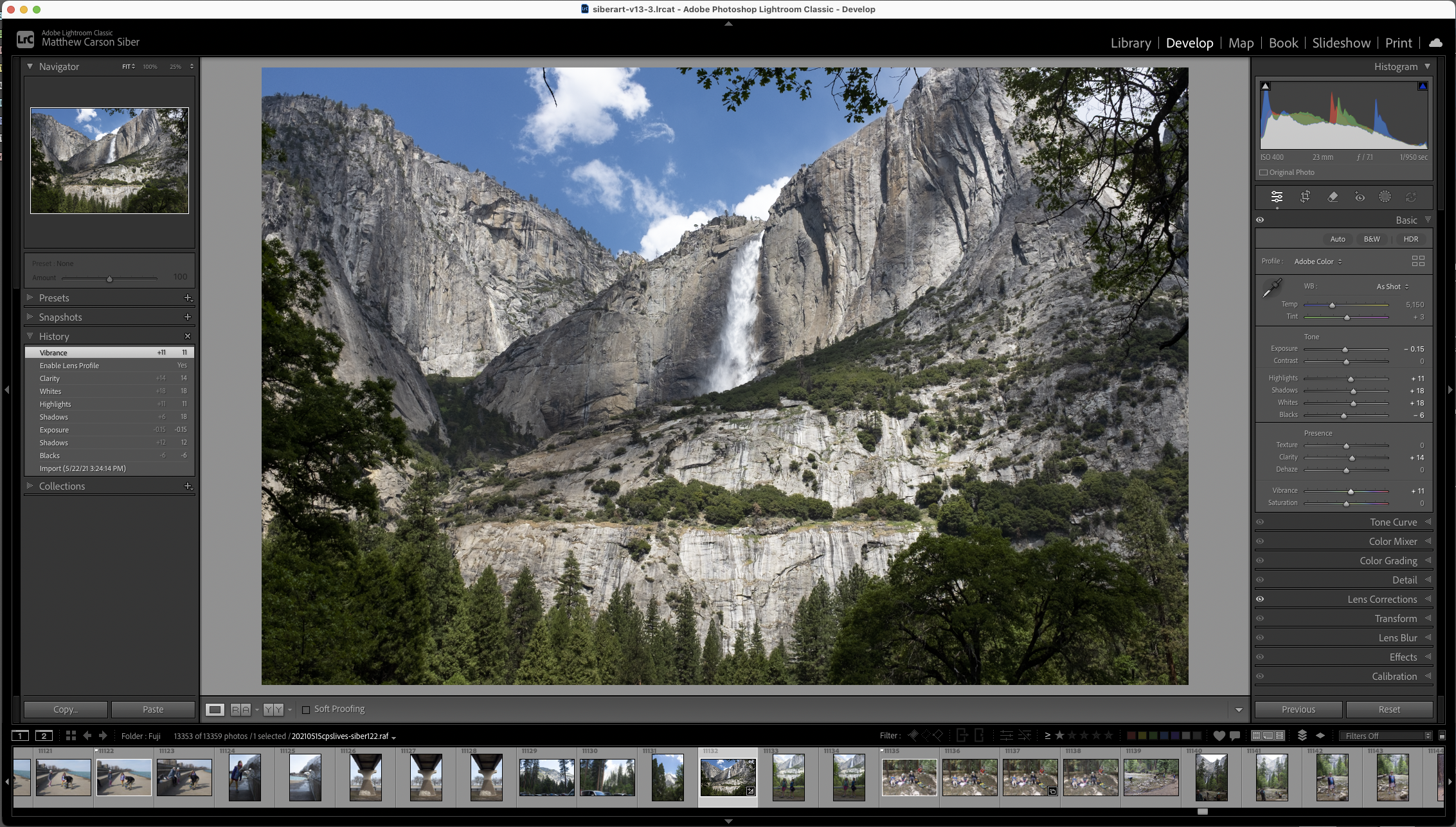
This class teaches the organizational efficiency and technical prowess of Adobe Lightroom.We will help establish Lightroom as your base program for photo file organization; raw file processing; light image manipulation; printing; book design; and as an entry point into Adobe Photoshop. We will discuss the benefits and special properties of raw files while learning the approaches and philosophies behind exposing for and processing raw camerainformation. The class aims to establish Lightroom as either your only photo processing program, or as part of a larger workflow process.
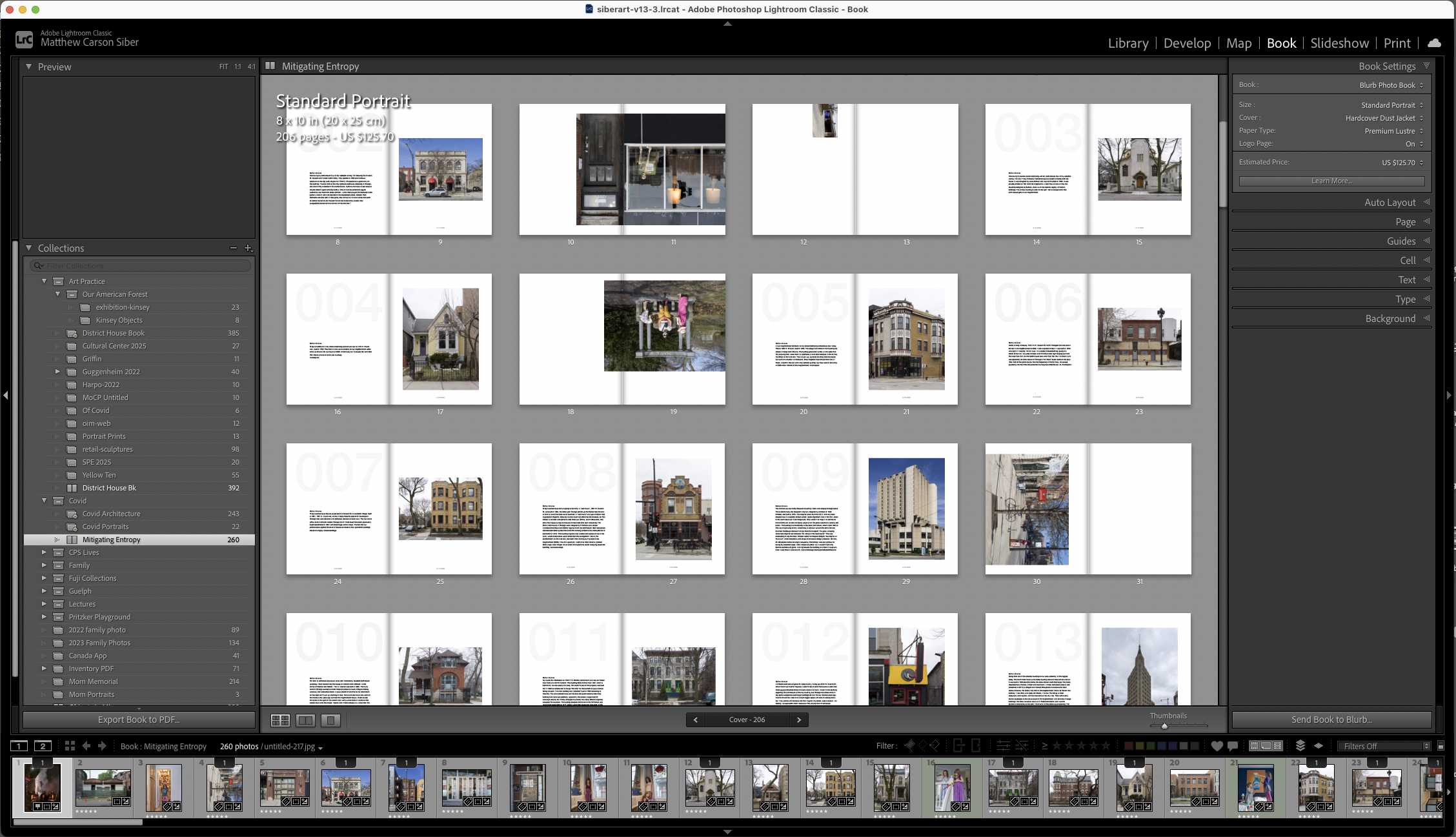
The class will teach you how to properly set up and maintain a Lightroom Catalog and use it as a central tool for keeping your work organized. The Library module will be thoroughly covered as a place to preview images, view or add metadata, organize files and folders, and export files for use outside of Lightroom. The class places emphasis on the Develop module and its sophisticated tools for processing and editing raw camera files. This will include instruction on how to read and use a histogram both for post-production processing and for in-camera exposure control. The Maps, Print, and Book modules will also be covered.
about the instructor

Matt Siber is a visual artist based in Guelph, Ontario working in photography, digital imaging, installation and sculpture. His artwork is part of many private and public permanent collections including The Art Institute of Chicago, The Museum of Contemporary Photography, and The Bidwell Foundation. Siber is an independent educator who served fifteen years as Associate Professor, Adjunct in the Photography Department of The School of The Art Institute of Chicago.
Sign up for Lightroom: In Practice
$625
A note from the instructor: Lightroom is an underrated program. I've been working in the field of photography for over thirty years, and I have been teaching digital photography and post-production for over twenty. I use Photoshop, Bridge and Lightroom regularly in my practice depending on what is required. I find Lightroom essential in organizing and processing my raw files and making work prints. Once the technical pieces are in place, Lightroom creates a more efficient process than using Bridge and Adobe Camera Raw. For a great deal of photographic work, there is no need for Photoshop if you have a solid working knowledge of Lightroom. You can import, organize, process, retouch, export, and print all from one program. The Book module is also extremely effective in quickly creating book layouts that can be directly loaded to Blurb for printing. If I had to choose a single photographic editing program, it would be Lightroom.
Course Learning Goals and Objectives
Objective: Establishing Adobe Lightroom as a primary tool for importing, organizing, editing, and exporting your photographic raw files for printing, online publishing, or for advanced editing in Adobe Photoshop.
Set up and maintain a functional Lightroom catalog.
Create an organizational system in the Library Module that streamlines your process.
Import RAW files into Lightroom safely and efficiently.
Use a histogram to optimize your exposure and post-production editing.
Optimize RAW files for different outputs using the Develop Module.
Export from LR to Photoshop; to an inkjet printer; or to Blurb for book printing.
Gain a working familiarity with all six of the LR modules.